
Why third-party access fails differently
Employee access decays slowly. Third-party access decays invisibly, because none of the events that normally trigger review reach you:
- You do not see leavers. The engineer who commissioned your system left the integrator in March. Their account is still active.
- Accounts are shared by default. Support organisations work in rotation, and a single
vendorsupportlogin is the path of least resistance. - Access outlives the work. Granted for a two-week commissioning window, still enabled four years later.
- Their endpoints are not your endpoints. You have no visibility into the patch level of the laptop connecting to your production estate.
- Remote support tools bypass everything. An agent installed during commissioning may hold a permanent outbound channel your security team does not know exists.
The pattern that works
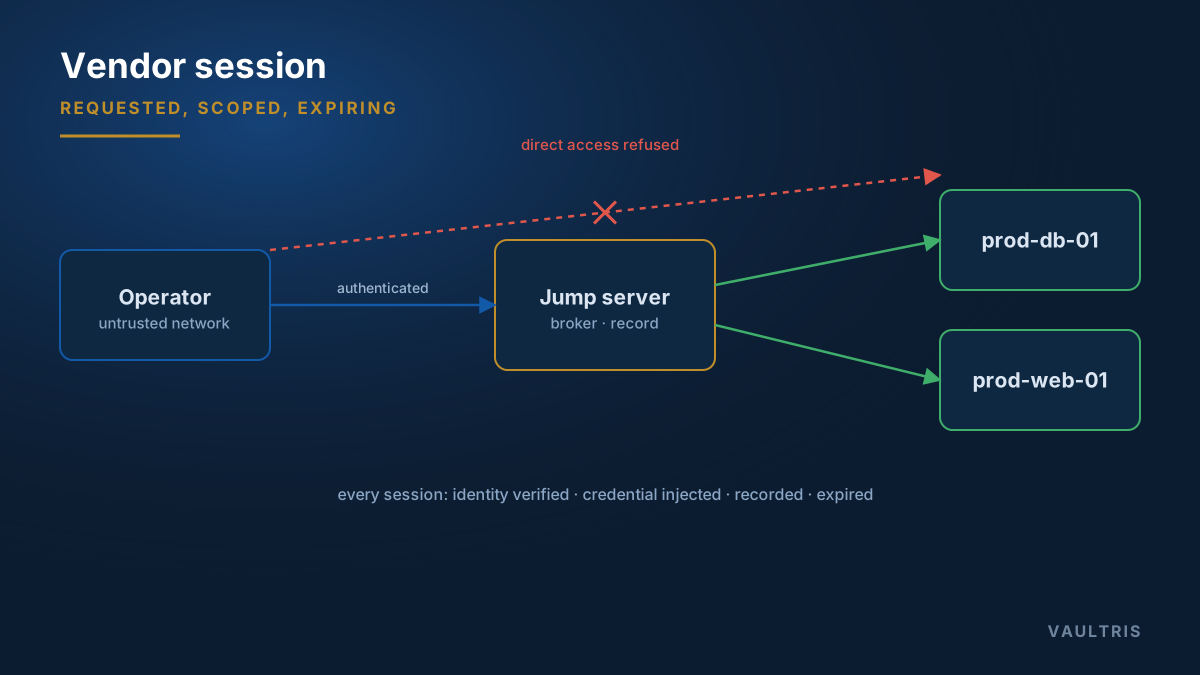
- Named individuals, never shared logins. Each engineer gets an identity, so the record names a person. If the vendor objects, that objection is itself informative.
- MFA enforced at your gateway, not delegated to the vendor’s identity system.
- Access on request, tied to work. Each session is requested against a ticket or work order with a stated reason and a duration.
- Approved by someone who owns the outcome — the system owner or plant engineer, not a help desk queue.
- Scoped to the task. One target, one account, and only the capabilities needed. File upload and clipboard are grants, not defaults.
- Recorded in full, with the recording held by you and available for review without the vendor’s cooperation.
- Expires automatically, on the approver’s clock rather than on someone remembering.
Time-bounding without breaking support
The objection is always response time: if a vendor must wait for approval, a Severity 1 takes longer to resolve. That is a real concern, and it is answerable.
- Pre-authorise a narrow emergency scope, approved in advance, that activates on request without waiting
- Keep the approval requirement for everything else
- Give the emergency path a short maximum duration — measured in tens of minutes — and heavy alerting
- Review every emergency activation afterwards
This gives the vendor a fast path for genuine emergencies without turning that path into the normal route. Compare break-glass design, which follows the same logic for your own staff.
Put it in the contract
Technical controls are stronger when the commercial relationship supports them. Worth specifying at procurement, when you have leverage:
- Access is through your gateway only; no vendor-installed remote support agents
- Named individuals, with the vendor obliged to notify you of leavers within a stated period
- Sessions are recorded, and recordings are your property
- No shared or hardcoded credentials in delivered systems
- The right to revoke immediately without notice
These clauses are far easier to insert before signature than to negotiate afterwards.
Review what you already granted
Start with the list of every non-employee identity that can reach a production system, and for each one ask when it was last used, who owns it, and what work it is currently supporting. In most estates a substantial fraction cannot be answered, and those are the accounts to disable first — quietly, with a rollback path, and see what complains.