
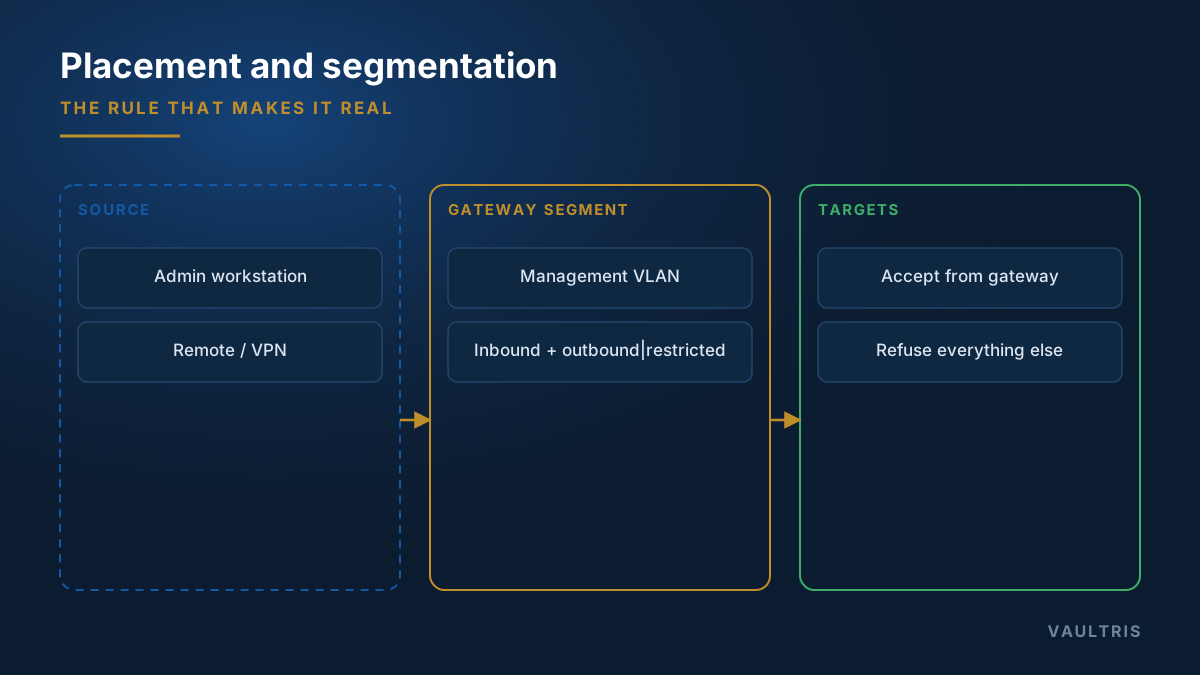
The rule that defines placement
Wherever the gateway sits, one property must hold: protected systems accept administrative connections from the gateway’s address and from nowhere else.
Everything else — which VLAN, which cloud subnet, how many nodes — is engineering detail. If that rule is not enforced by firewall or security group, the gateway is optional, and optional controls are bypassed the first time they are inconvenient.
Classic on-premises placement
| Placement | Suits | Watch for |
|---|---|---|
| Perimeter DMZ | Access originating from the internet | Must not hold standing credentials in cleartext; treat as exposed |
| Management VLAN | Internal administrative access | Requires the VLAN to be genuinely restricted, not merely named |
| Between IT and OT | Industrial and process networks | The strictest case — see OT and SCADA |
| Per-enclave | Classified or compartmented environments | No shared gateway across classification boundaries |
Inbound and outbound both matter
Inbound restriction is usually designed. Outbound rarely is, and it is where a compromised gateway becomes an exfiltration path.
- Inbound: management ports only, from approved source ranges only
- Outbound to targets: only the protocols and hosts the gateway is meant to broker
- Outbound to the internet: denied by default; permit only what patching and update bundles require, through a proxy that logs
- No transit routing: the gateway brokers at the application layer and must never forward packets between segments
Cloud and hybrid
Cloud estates change the shape of the problem in three ways. First, there is no console to walk up to, so the emergency path has to be designed rather than assumed. Second, the control plane is itself a privileged target — access to the cloud console or API is at least as sensitive as SSH to an instance, and it has no protocol to proxy. Third, environments are frequently rebuilt, so gateway placement must be part of infrastructure-as-code rather than a manually configured host.
- Place a gateway per VPC or per landing zone, with peering only where genuinely required
- Restrict instance security groups to the gateway’s address for management ports
- Broker console and API access through a recorded browser session on the gateway, so cloud administration is governed like everything else
- Keep the gateway’s own definition in code, reviewed like any other change
Multi-site
For estates spanning locations, put a gateway at each site and replicate policy between them. A single central gateway means a WAN outage becomes a total loss of administrative access at every remote location — which is precisely when local staff need to work.
Replicate entitlements and vaulted secrets; consolidate recordings and the audit ledger centrally for review. Local availability, central evidence.