
Why these get missed
Privileged access programmes are usually built around SSH and RDP, because that is where the history is. Kubernetes and cloud consoles arrive later, are owned by platform teams rather than infrastructure teams, and do not look like "logging into a server" — so they are frequently outside the gateway entirely.
They should not be. kubectl exec gives an interactive shell inside a container. A cloud console role can delete every instance in the account. Both are at least as privileged as SSH to a host.
Kubernetes
The Kubernetes API is the control plane, and access to it needs the same treatment as any other administrative interface:
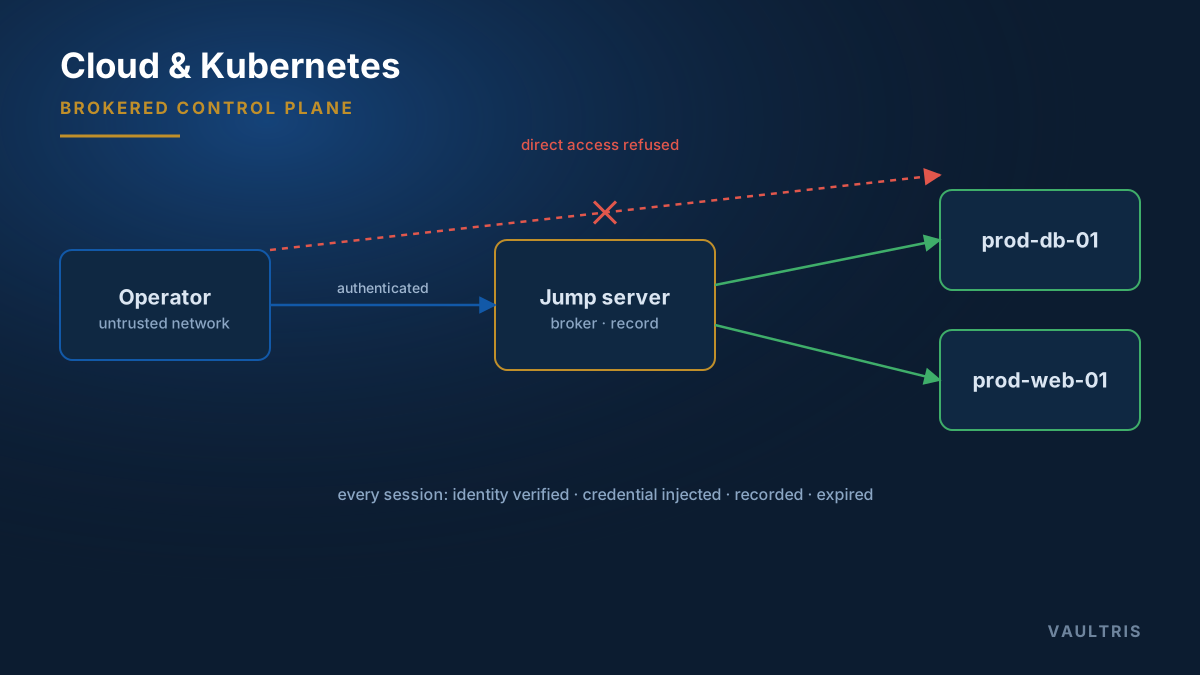
- Broker the API connection, so the gateway is the only source the API server accepts administrative access from
- Bind identity to RBAC. The human’s gateway identity should map to a Kubernetes role, not to a shared cluster-admin kubeconfig
- Record
execsessions in full. An exec session is a terminal session and deserves the same transcript as SSH - Scope by namespace. Most engineers need one namespace, not the cluster
- Treat kubeconfig files as credentials. A long-lived kubeconfig on a laptop is a standing cluster credential outside your control
Cloud consoles
A cloud console presents a genuine difficulty: there is no administrative protocol to proxy. It is a web application, reached over HTTPS, and the session is a browser session.
The workable answer is to broker the browser itself. The gateway runs a disposable browser session, authenticated with a vaulted credential or federated role the operator never holds, pointed at the console — and films it. The operator drives a remote browser; the credential never reaches their machine, and the navigation trail and screen are recorded like any other session.
| Access path | Control |
|---|---|
| Console (web) | Brokered disposable browser on the gateway, recorded, credential injected |
| CLI / SDK | Short-lived issued credentials scoped to a role, never long-lived access keys |
| Infrastructure as code | Machine identity in the pipeline, with change review as the control |
| Break-glass root | Sealed, alarmed, rotated after use — see break-glass design |
The identity that owns everything
Every cloud account has a root or global administrator identity that can undo any control configured beneath it, including the logging. It should have hardware MFA, no access keys, no routine use whatsoever, and alerting on any authentication at all.
This is the single account most worth designing properly, and the one most often left with a password in a shared vault from the week the account was created.
Bring them into the same review
The practical goal is one entitlement register covering SSH, RDP, databases, Kubernetes, and cloud roles together. Separate registers per platform is how an engineer ends up removed from the server group and left with cluster-admin, which is the exact failure the review existed to catch.