
The credential-in-memory problem
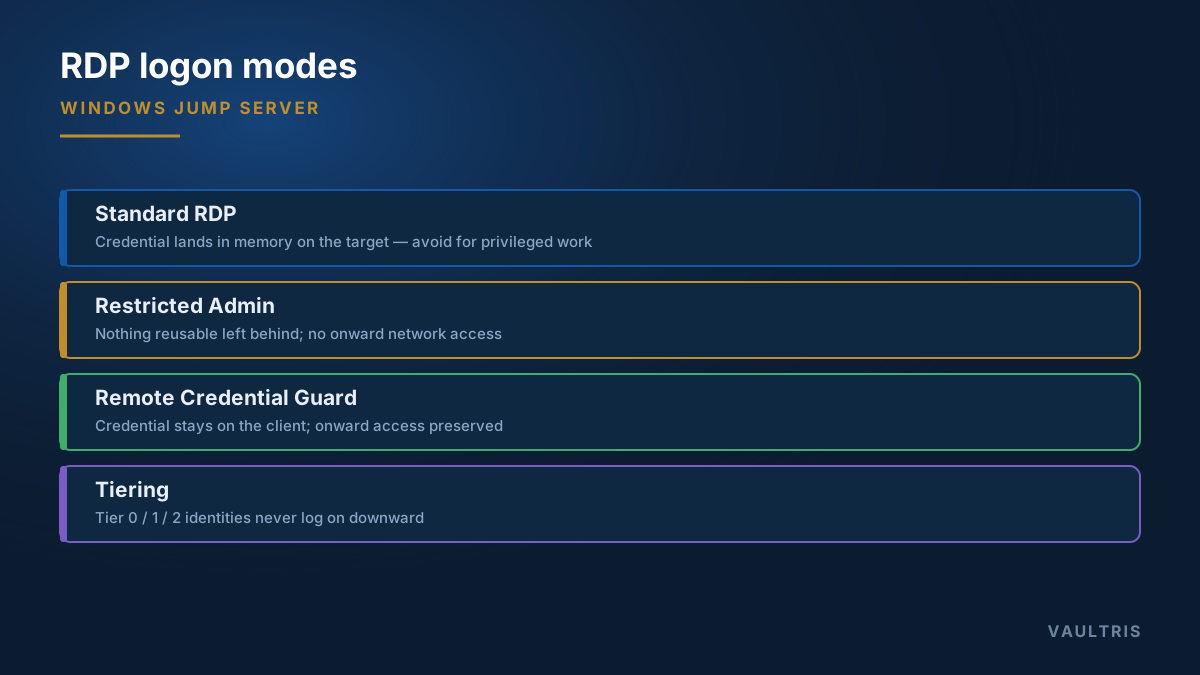
A standard RDP logon is an interactive logon: the credential is delivered to the remote machine so it can be used for onward authentication. That is convenient, and it means your credential material now sits in memory on that machine.
If the remote machine is compromised, an attacker with local administrator rights can harvest what is there and reuse it. This is the mechanism behind pass-the-hash and pass-the-ticket, and it is why a domain administrator logging on to an ordinary workstation to troubleshoot it is one of the most damaging routine habits in enterprise IT.
Restricted Admin mode
Restricted Admin (mstsc /restrictedadmin) changes the exchange: instead of sending your credential, the session authenticates and then runs as the machine account on the far end. Nothing reusable is left behind.
The trade-off is that the session has no credential to present onward, so network resources from inside that session are unavailable. It also introduces a network-logon path that can itself be relayed, so it is not a universal answer.
Remote Credential Guard
Remote Credential Guard keeps the credential on the client and forwards Kerberos requests back to it for signing. You get single sign-on to network resources without leaving credential material on the target.
| Standard RDP | Restricted Admin | Remote Credential Guard | |
|---|---|---|---|
| Credential on target | Yes | No | No |
| Onward network access | Yes | No | Yes |
| Runs on target as | You | Machine account | You |
| Use for | Avoid for privileged work | Administering untrusted hosts | Administering trusted hosts |
Tiering
The structural control is administrative tiering: identities that manage domain controllers never log on to servers, and identities that manage servers never log on to workstations. Each tier gets its own bastion host, and credentials never cross downward.
- Tier 0 — domain controllers, PKI, the identity platform itself
- Tier 1 — member servers and applications
- Tier 2 — workstations and user devices
Enforce it with logon-rights policy — Deny log on locally and Deny log on through Remote Desktop Services for higher-tier accounts on lower-tier machines — rather than relying on convention. Convention erodes at 3am.
Hardening the Windows gateway itself
- Enforce NLA so unauthenticated sessions never reach the logon screen
- Require TLS with a certificate from your own CA; do not accept self-signed defaults
- Disable clipboard, drive, and printer redirection unless a specific grant requires them — redirection is an unlogged file transfer channel
- Enable Credential Guard on the gateway to protect what does reside there
- Ship Security event logs off the host as they are written, particularly 4624, 4625, 4648 and 4672
- Set idle and disconnected session limits, so abandoned desktops do not remain live privileged sessions
Where a brokered gateway changes the picture
All of the above still leaves administrators knowing the passwords they type. A brokered gateway injects the credential into the RDP session so it is never known to the operator, records the screen for replay, and controls clipboard and file redirection as explicit grants rather than client-side settings. That converts redirection from an ungoverned channel into a permission somebody approved.